Currency
|

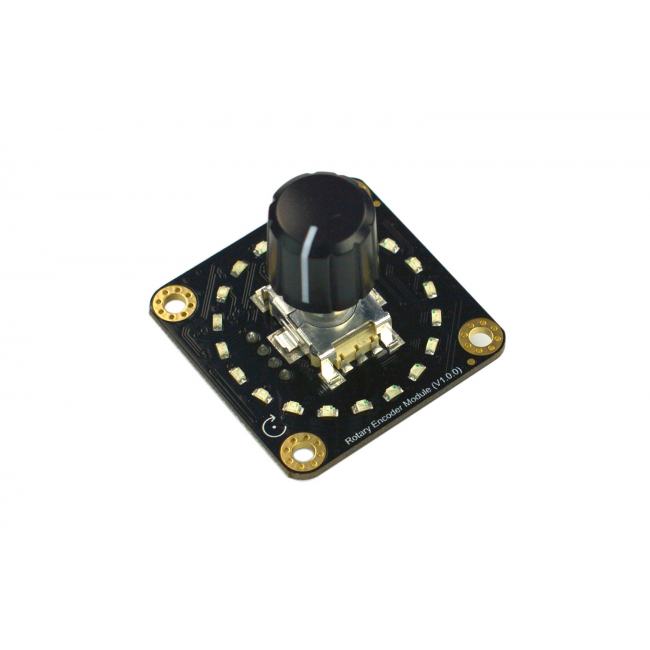
This Gravity I2C Rotary Encoder adds a tactile knob and visible setting feedback to lighting controls, audio interfaces, and interactive projects. With 360° rotation and 20 pulses per revolution, each mechanical detent provides a distinct adjustment step. Onboard LEDs show the encoder's current status, while programmable step settings let the same knob support fine adjustments or faster changes. Two Gravity connectors and four selectable I2C addresses enable multiple encoders to share one bus, making this module a practical input for Arduino projects with several independently adjustable settings.
Tactile Adjustment with Visible LED Feedback
Each detent gives a physical reference when turning this rotary encoder, while the onboard LED indicators make the current setting visible at the knob. Forward rotation increases the reported value and reverse rotation decreases the value, providing a straightforward interaction for volume, brightness, or speed adjustments. Combining tactile steps with visual feedback makes control changes easier to follow in a project interface, especially when a separate numeric display is unnecessary.
Programmable Steps for Fine or Fast Changes
The programmable 1~51 setting changes the value increment per detent, allowing this rotary encoder to match different control tasks without changing the hardware. At a setting of 1, approximately 2.5 turns advance the LED indication by one light; at 51, one detent advances one light. Smaller increments suit gradual adjustments, while larger increments move through settings more quickly. This software setting changes adjustment sensitivity rather than the fixed 20 mechanical detents per revolution.
Up to Four Encoders on One I2C Bus
Two Gravity connectors support pluggable cascading, and the address switch offers four different I2C addresses for connecting up to four encoder modules. Multiple knobs can therefore share a single I2C interface while reporting separate control values. For example, three encoders can provide individual red, green, and blue adjustments in an RGB lighting project. This arrangement creates a compact control panel without allocating a separate pair of quadrature inputs to every knob.
Use Case Diagram (Control RGB LED by three encoders)
Application Field
Application Case
| Manufacturer | DFRobot |
|---|